
Please note: The 'ENR' SEC Code is a legacy feature available with the ACH Universal Corporate license and can only be used with manually added records (not imported files).
The first step is to create a Profile for the agency by clicking on the Profiles tab->Government Agencies and 'Add' a Profile.
Enter the name of the agency, their ABA Routing number and Save.
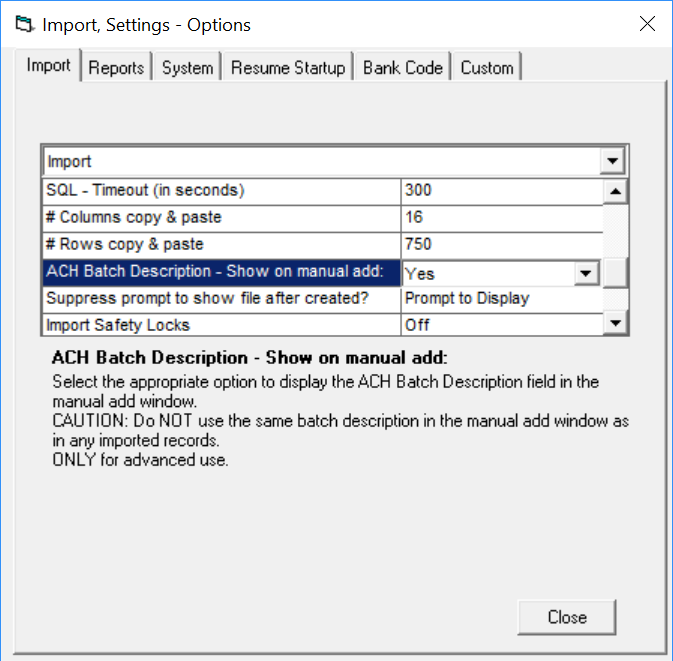
The next step is to click on Settings->Import, System->Import tab - and change the ACH Batch Description to 'Yes' (to display).
From the Home tab, click 'Add a Record' in the ribbon bar.
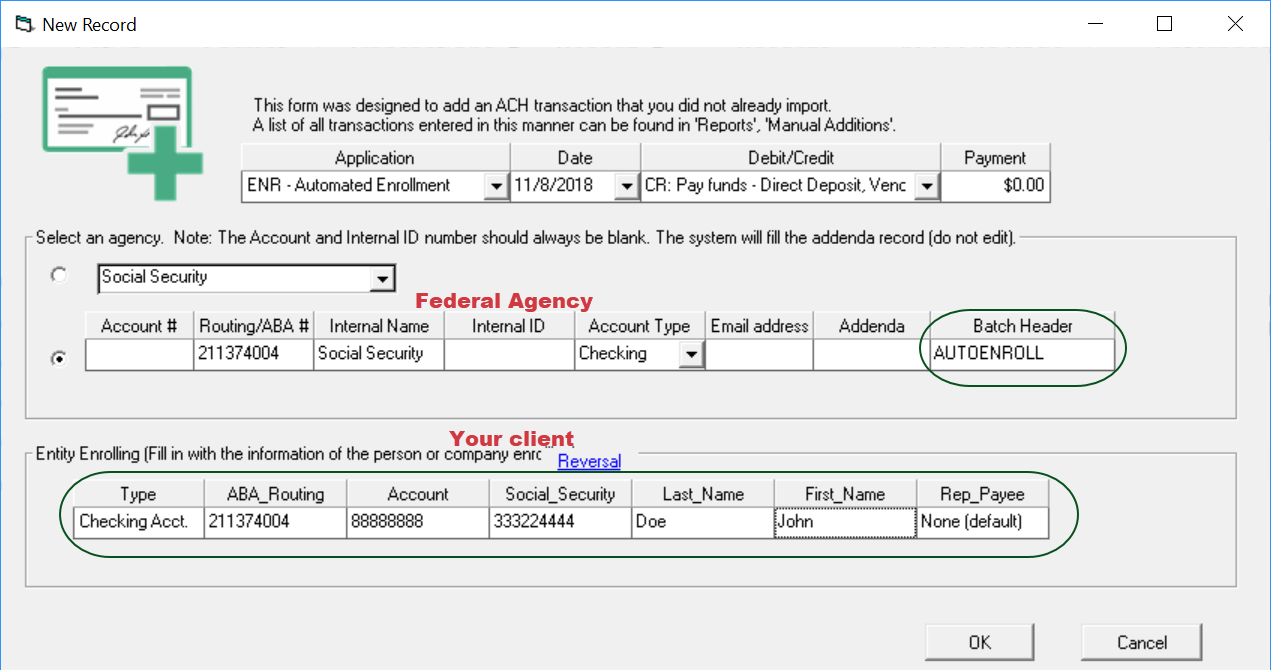
Select an individual (profile - from the drop down list), then select 'ENR' as the SEC code (top line left).
Fill in the balance of the information. Note: You will get prompted regarding the Batch Header Description, continue as it must be "AUTOENROLL".
Create the file as normal.